Sightline
Show Differences
Compare your app with the design on your Mac
A design overlay for Mac that does the spotting for you. Every mismatch gets a number and a reason.
Stop squinting at a faded mockup.
A design overlay shows the mockup on top of the build, but you still have to find what is off. Sightline compares the design with your app for you: pin the design over the running app, turn on Show Differences, and every mismatch gets a number.
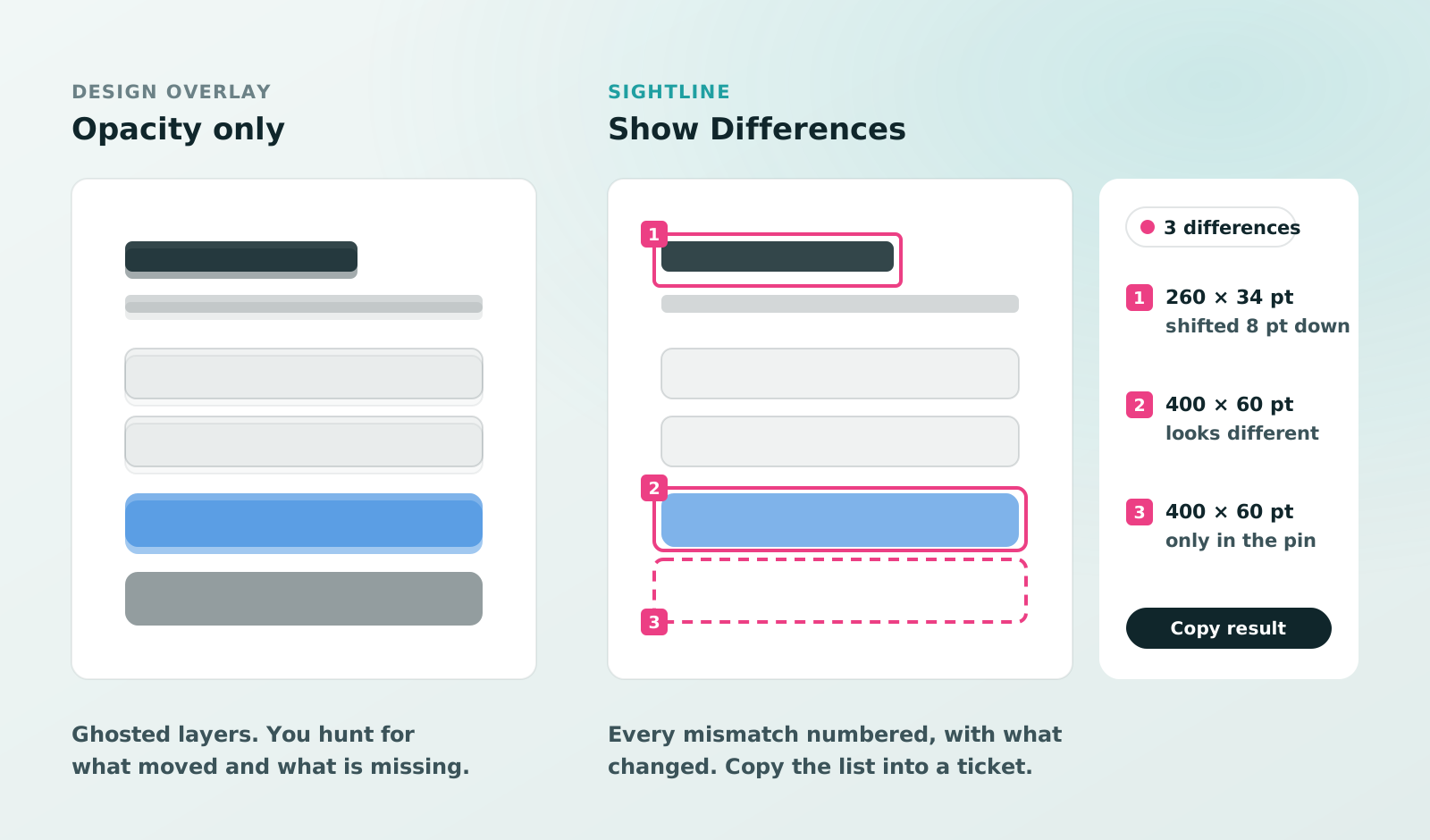
More than a design overlay.
- Numbered differences, each marked with a box
- A reason for each: shifted, only in the pin, only in the app or looks different
- Lined up first, so a small offset of the whole pin doesn’t count
- Marked or Difference view to see the mismatch itself
- Copy result: the marked image and the list in one go
Check a screen in three steps.
- Pin the designSelect the frame in Figma or any mockup with ⇧⌘4 and press ⌘P.
- Show DifferencesDrag the pin over the running app and choose Show Differences in its bar.
- Fix with Tracing onClicks go through to the app below and the marks follow your changes.
An earlier screenshot works too: pin it from History to see what changed.
Works on anything on your screen.
Sightline compares what is below the pin, so it doesn’t matter what draws it: a web page in any browser, the iOS Simulator or a Mac app.
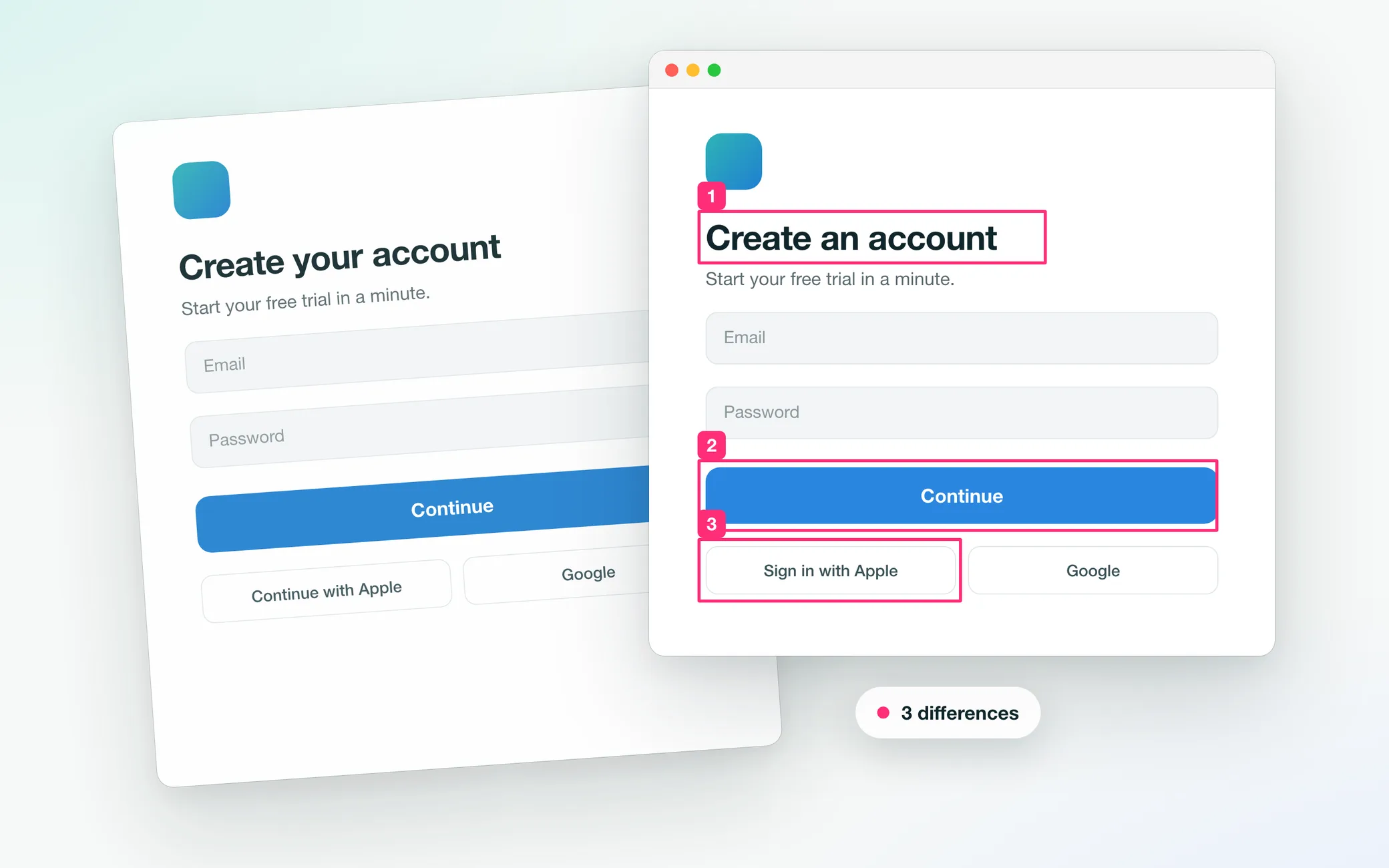
Let your AI agent fix what differs.
Claude Code, Codex or Cursor can run the same check through Sightline’s MCP server, fix the code and check again until no differences are left. See how Claude Code checks your app against the design and the compare_with_design reference.
Questions
Does it work with Figma?
Yes. Open the frame at 100% zoom, capture it with Sightline and pin it. No Figma account connection is needed.
What if the whole build is off by a pixel or two?
Sightline lines the two up before comparing and shows how far, so only real differences get a number.
Can I share the result?
Copy result puts the marked image and the numbered list on the clipboard, ready for a ticket or a chat.
Does it cost anything?
Sightline is a free download. Show Differences and Tracing are part of Sightline Pro: 7 days free, then $3.99 a month, $24.99 a year or $29.99 once (US prices).
Does anything leave my Mac?
No. Pins stay in memory until you save, and Sightline has no account and no analytics. It needs macOS 14 or later.
Figma is a trademark of Figma, Inc. Sightline is not affiliated with or endorsed by Figma.
More resources
 Offers
Black Friday: 3 months of Sightline Pro free
Two App Store offer codes: SIGHTLINEEARLY gives 3 months of the yearly plan free, then $24.99/year. SIGHTLINELIFEDISCOUNT26 gets lifetime for $22.99 instead of $29.99.
Read →
 AI agents
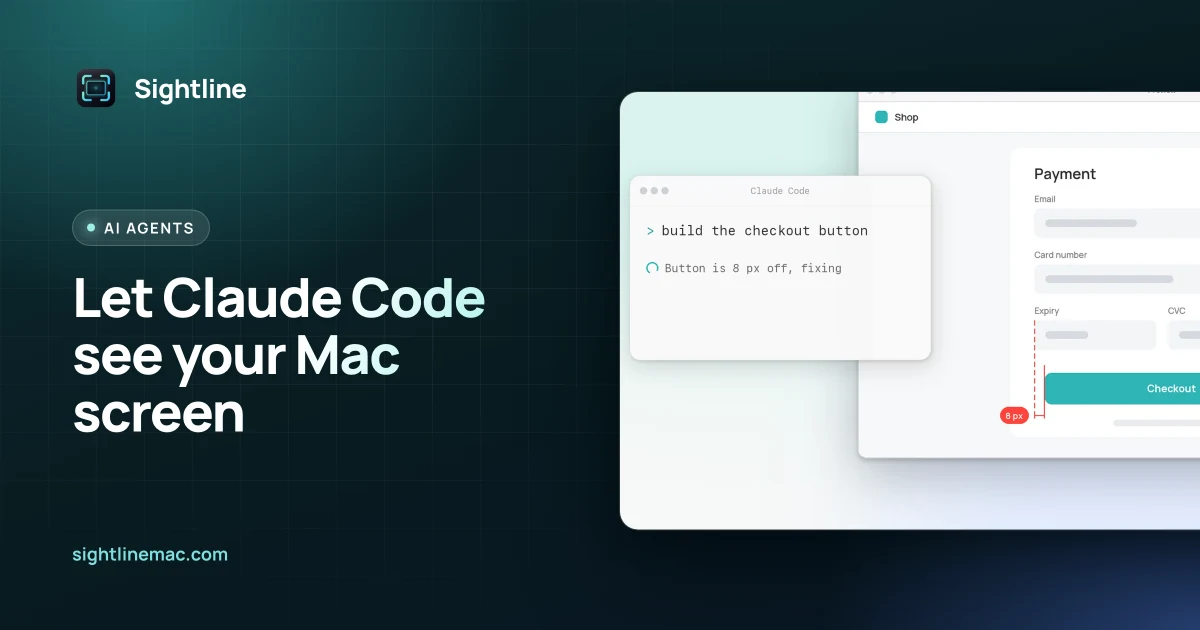
Let Claude Code see your Mac screen
Give Claude Code screenshots it takes itself. Sightline’s MCP server lets Claude Code capture a window on your Mac, compare it with your design, number what differs and fix it.
Read →