Sightline
Claude Code and MCP
Let Claude Code see your Mac screen
Sightline’s MCP server lets Claude Code take its own screenshots, check them against your design and fix what differs.
Stop pasting screenshots into Claude Code.
Claude Code can’t see your UI until you give it a picture. With Sightline, a Mac screenshot app with a built-in MCP server, Claude Code takes the screenshot itself, checks its work and tries again.
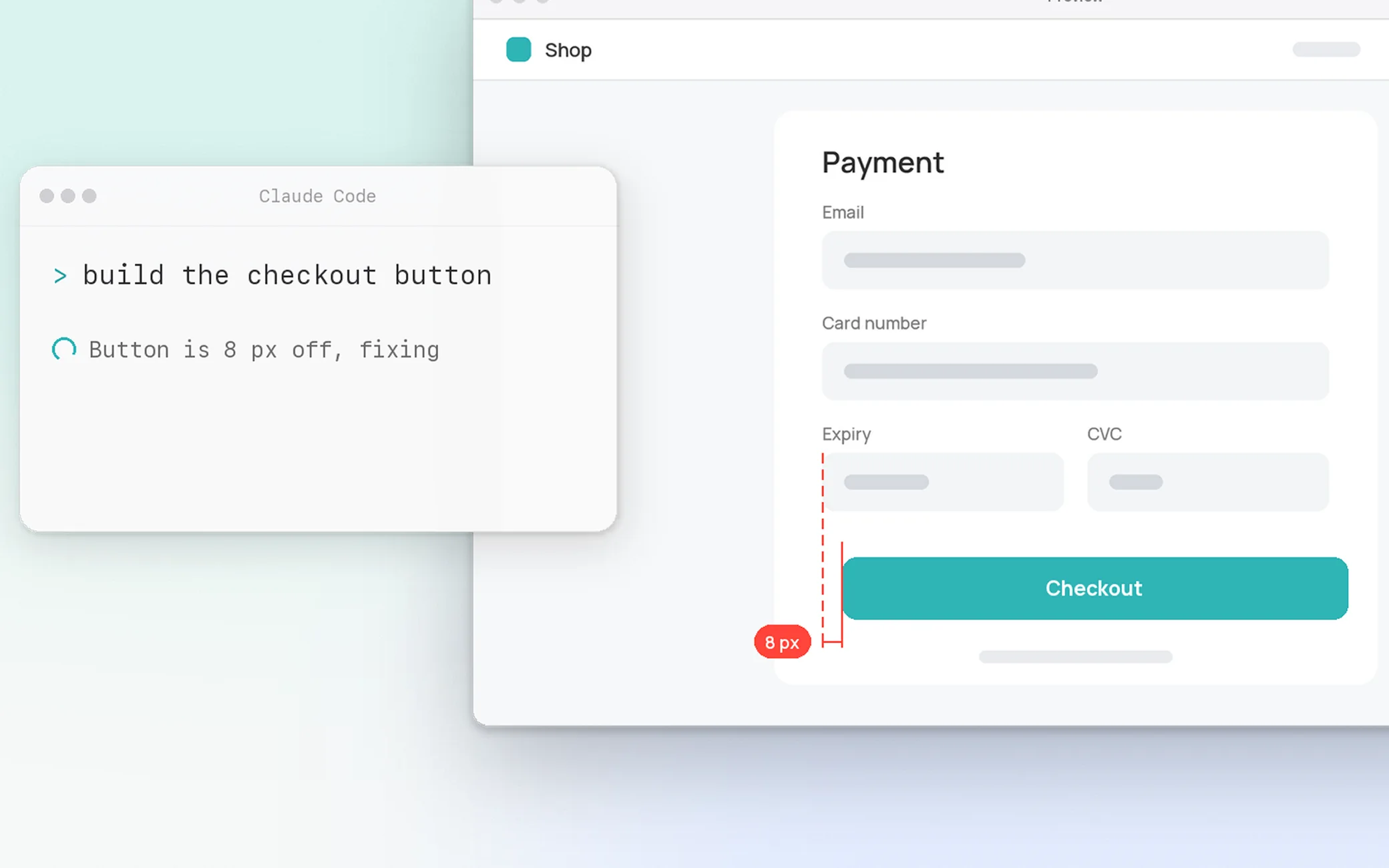
How a Claude Code MCP screenshot works.
Claude Code calls sightline-cli, a small MCP server inside the app. Sightline captures on your Mac and sends back the image with numbered differences.
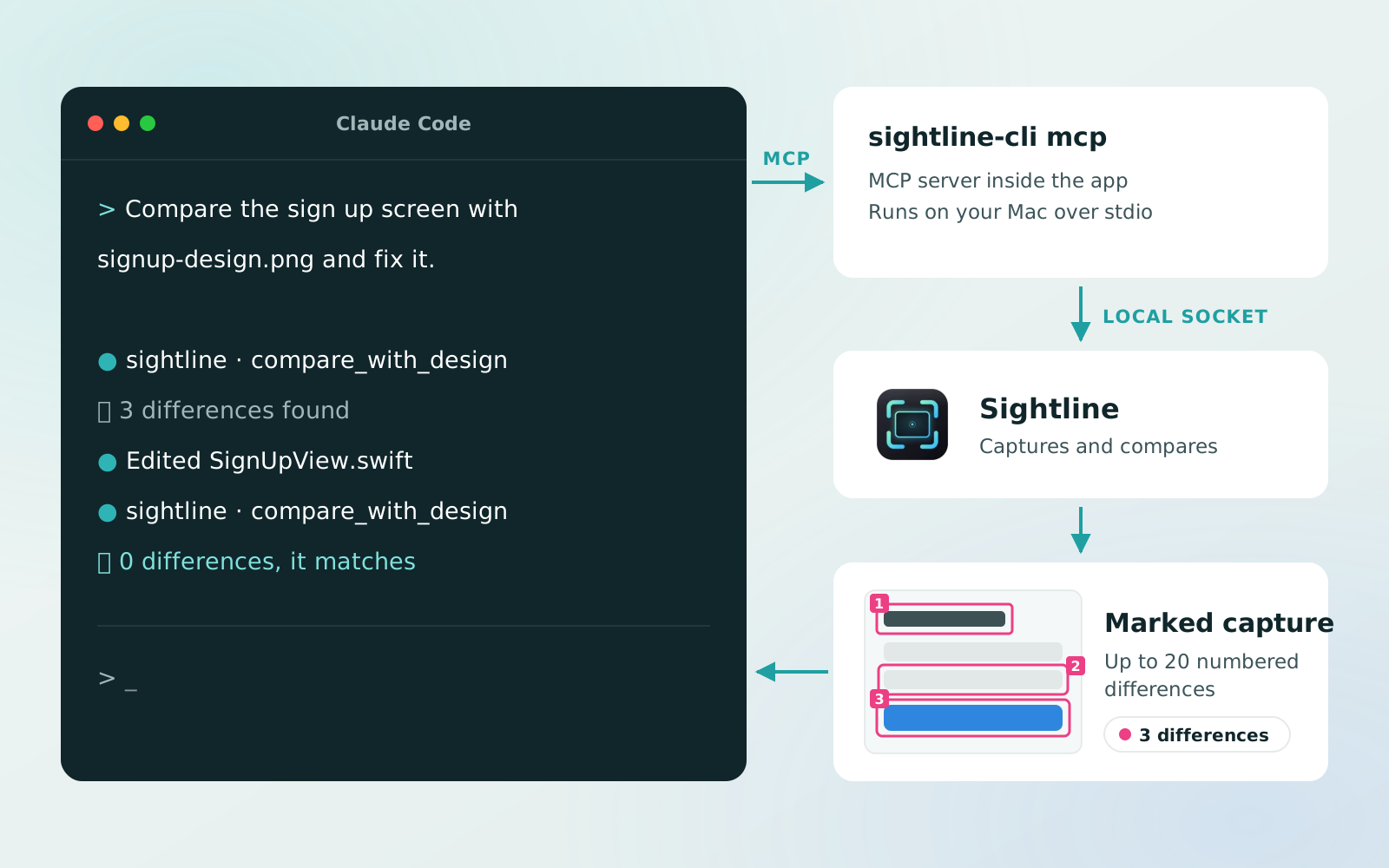
What Claude Code can do.
- Capture a window, an area or a display
- Compare to a design with numbered differences
- Mark up with boxes, arrows, text and blur
- Edit live in the Sightline editor you have open
- Read the screen: text, QR codes and colors
- Record up to 60 seconds, then cut or export a GIF
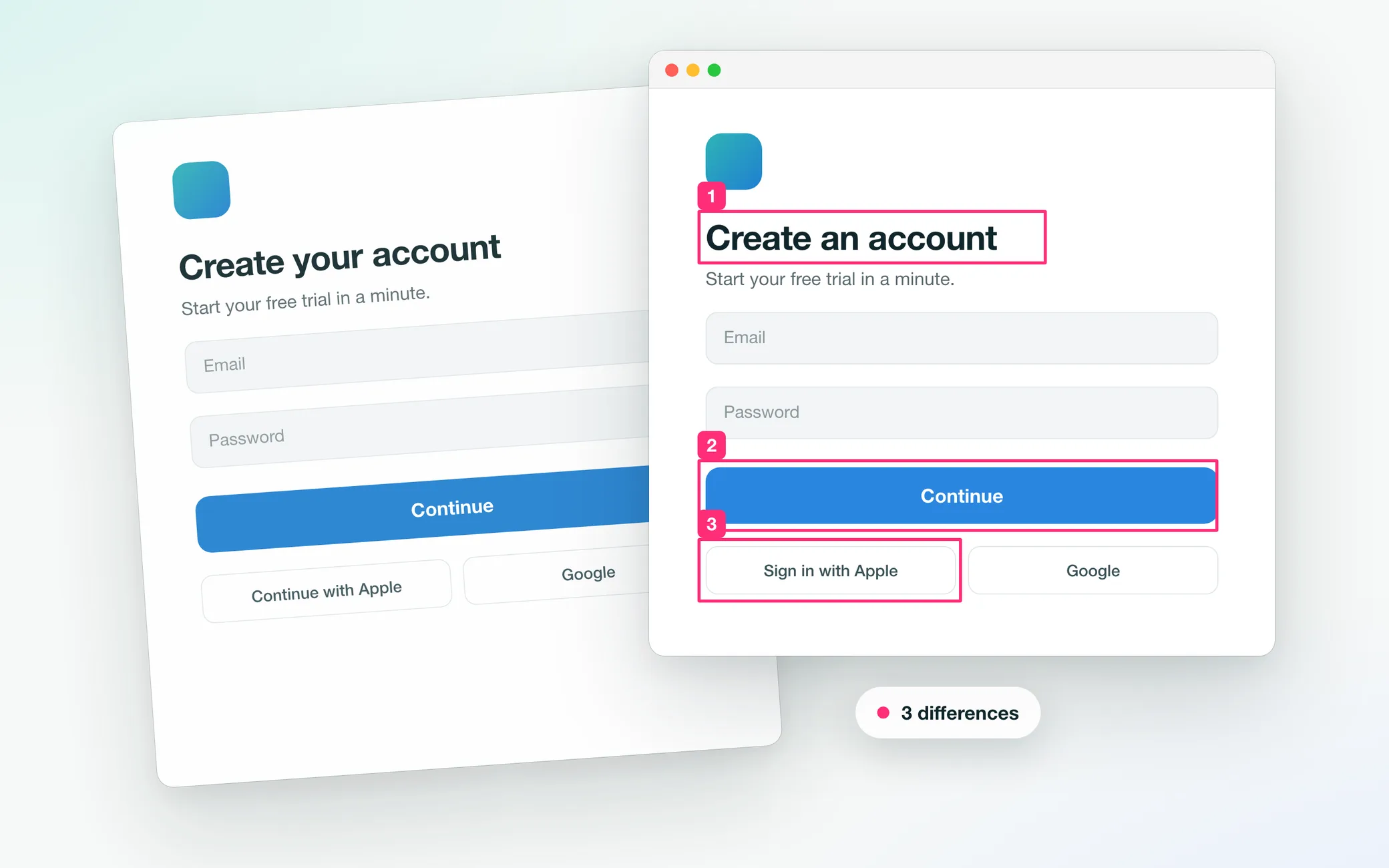
Check the app against the design.
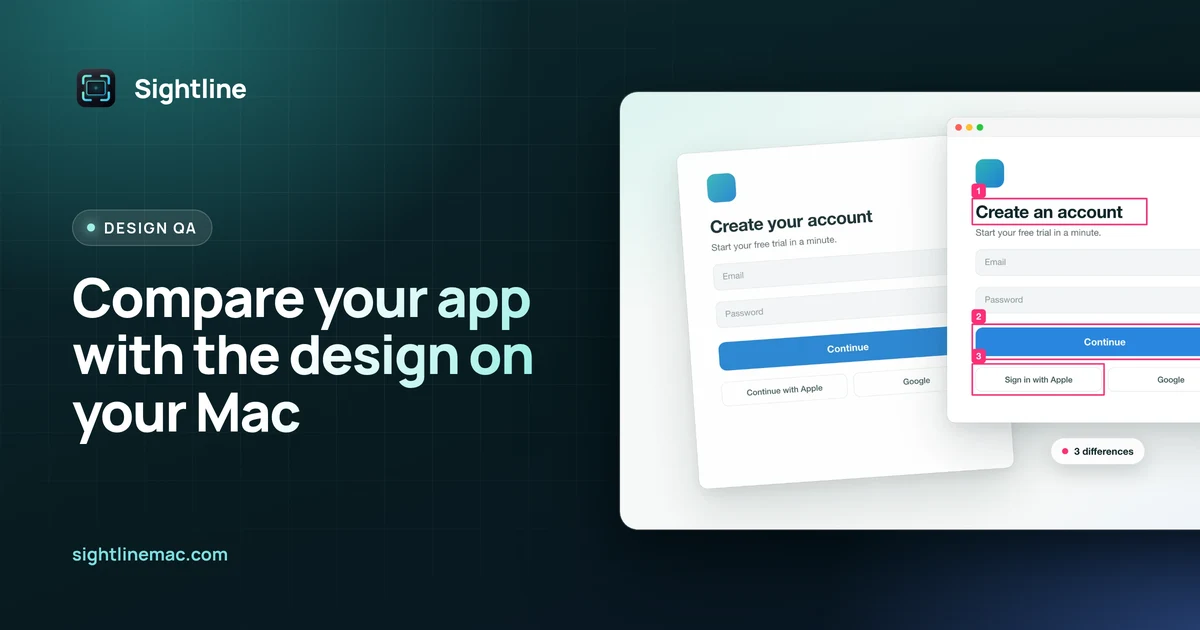
Ask “Compare the sign up screen in the Simulator with signup-design.png and fix what differs.” Claude Code numbers each mismatch, fixes the code and checks again until none are left.
Connect Claude Code in a minute.
- Install SightlineFrom the Mac App Store, then allow Screen Recording.
- Click ConnectIn Settings › AI Agents, turn on agent access and click Connect next to Claude Code.
- Ask for a screenshotStart a new session.
/mcplists sightline.
claude mcp add --scope user sightline -- \
"/Applications/Sightline.app/Contents/MacOS/sightline-cli" mcpPrefer the terminal? The command above does the same. Every tool is in the MCP reference.
You stay in control.
- Off until you turn it on in Settings › AI Agents
- Each agent asks first: Deny, Allow Once, Allow This Session or Always Allow
- You see every capture: a banner names the agent, on by default
- No account, no analytics, no Sightline server
Questions
Can Claude Code take screenshots on a Mac?
Yes, through an MCP server such as Sightline, or with Claude Code’s computer use, a research preview. Sightline adds design checks, editable marks and recordings.
Which AI apps work with Sightline?
Any MCP client, such as Claude Code, Claude Desktop, Codex and Cursor.
Does it cost anything?
Sightline is a free download. Agent access is part of Sightline Pro: 7 days free, then $3.99 a month, $24.99 a year or $29.99 once (US prices).
Where do the screenshots go?
Into the Agent folder on your Mac. Sightline sends nothing anywhere. What happens to an image after the agent gets it is up to the agent and its provider.
Which macOS do I need?
macOS 14 or later. Recording needs macOS 15.
Claude and Claude Code are trademarks of Anthropic. Sightline is not affiliated with or endorsed by Anthropic.
More resources
 Offers
Black Friday: 3 months of Sightline Pro free
Two App Store offer codes: SIGHTLINEEARLY gives 3 months of the yearly plan free, then $24.99/year. SIGHTLINELIFEDISCOUNT26 gets lifetime for $22.99 instead of $29.99.
Read →
 Design QA
Compare your app with the design on your Mac
Pin the design over your running app and Sightline numbers every spot that differs, says whether it moved, is missing or looks different, and keeps checking while you fix it.
Read →